

Downloads: Equalizer APO | E-APO Stereo Upmixer.
----
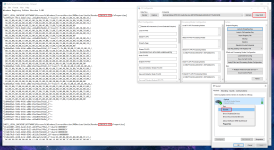
1A: Disable the device(s) that you want to add Equalizer APO to | 1B: For DTS DCH run 'Equalizer APO.reg' from 'DTS Settings' on the device(s):
----
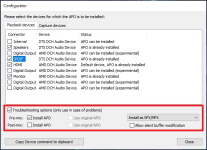
2: Install EAPO, at the config, tick the device(s) you want, at the bottom tick troubleshoot, and set SFX/MFX, pre-mix, no post-mix (per device):
3: Say no to the restart, then run 'Configure.reg' from my 'Upmixer Config', then copy the [.txt] files to [C:\Program Files\EqualizerAPO\Config]:

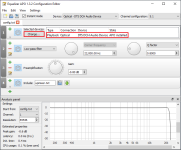
4: Run the EAPO config editor, and add your already setup device(s) to the main panel:
5: Restart, then enable the device(s).
----
----
1A: Disable the device(s) that you want to add Equalizer APO to | 1B: For DTS DCH run 'Equalizer APO.reg' from 'DTS Settings' on the device(s):
----
2: Install EAPO, at the config, tick the device(s) you want, at the bottom tick troubleshoot, and set SFX/MFX, pre-mix, no post-mix (per device):
3: Say no to the restart, then run 'Configure.reg' from my 'Upmixer Config', then copy the [.txt] files to [C:\Program Files\EqualizerAPO\Config]:
4: Run the EAPO config editor, and add your already setup device(s) to the main panel:
5: Restart, then enable the device(s).
----
Attachments
-
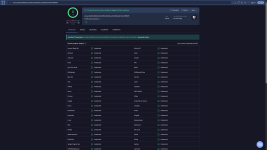 E-APO Stereo Upmixer.png207.7 KB · Views: 8